
Setting up an email account on your iPhone
If you have any problems to setup your email account on your iPhone or iPad, have a look at this article.
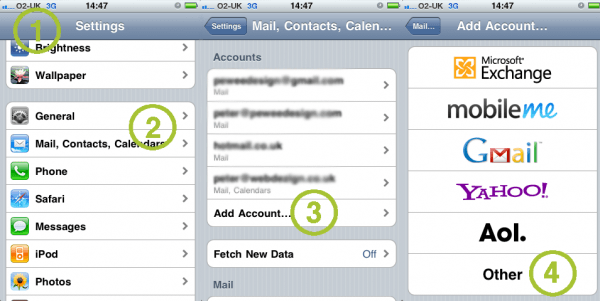
Go to the settings (1)
Choose Mail, Contacts, Calender (2)
Choose Add Account (3)
A configuration wizard is prepared for Microsoft Exchange, mobileMe, Google Mail, Yahoo! and Aol. If you have one of these providers, follow the instructions to configure your email account. If you have an other provider click on Other (4)
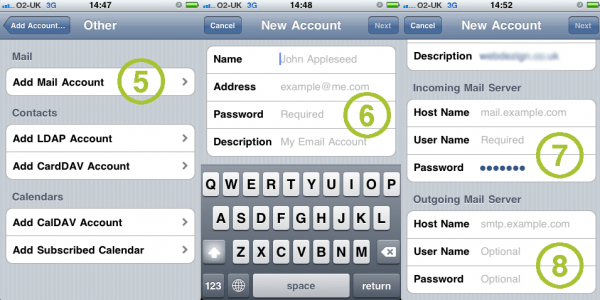
Click on Add Mail Account (5)
Insert your name, email address, your email password (6)
Configure your Incoming Mail Server (7) and Outgoing Mail Server (8)
You get the information from your email provider.
We hope this article helped you.
Share


Write to us
or call the number 020 8446 1515
Success!
Data sent. Our manager will contact you shortly