
Setting up an email account on your BlackBerry
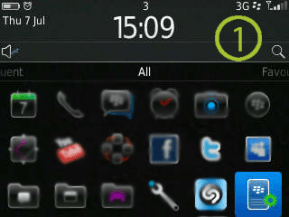
The process of setting up an email account on your Blackberry is fairly easy. Firstly, navigate to “setup” on your home screen and click on it. The icon will be a picture of a Blackberry with a green cogwheel.
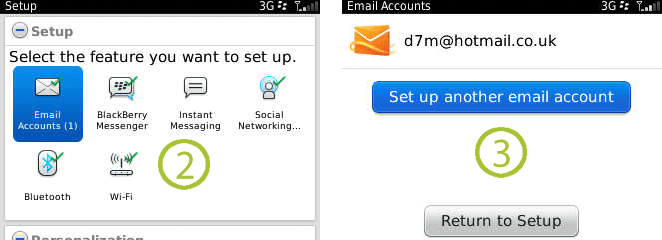
This will take you to the set up screen. Click on “Email Accounts” and select “Internet Mail Account”. If you already have an email account set up, please select “Set up another email account”.
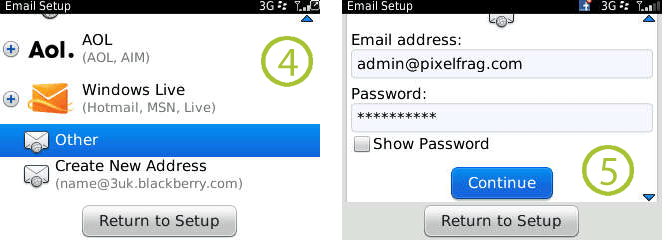
If you have Yahoo, Gmail, Aol or Hotmail, then select the appropriate service and enter your email and password when prompted. Otherwise pick “Other” and then enter your credentials. Then click “continue” and you will be notified that the blackberry is processing your request.
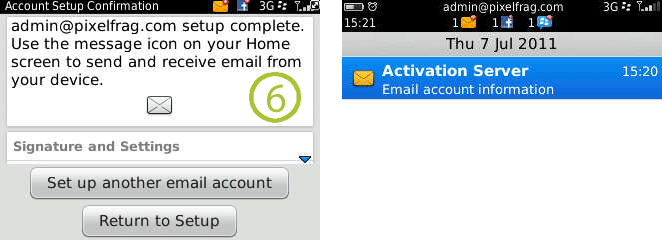
If successful, you will receive the notice that your email account has been successfully created.You can then access this email account by going to your homescreen and navigating to the mail icon. When highlighted, your email address will be show. Click on this icon and you will enter your mailbox, ready to receive emails.

Write to us
or call the number 020 8446 1515